The best panorama and carousel split apps for iPhone (2026)
Compare iPhone apps that split a panorama or wide photo into a seamless Instagram carousel, from simple splitters to template makers. What each does well.
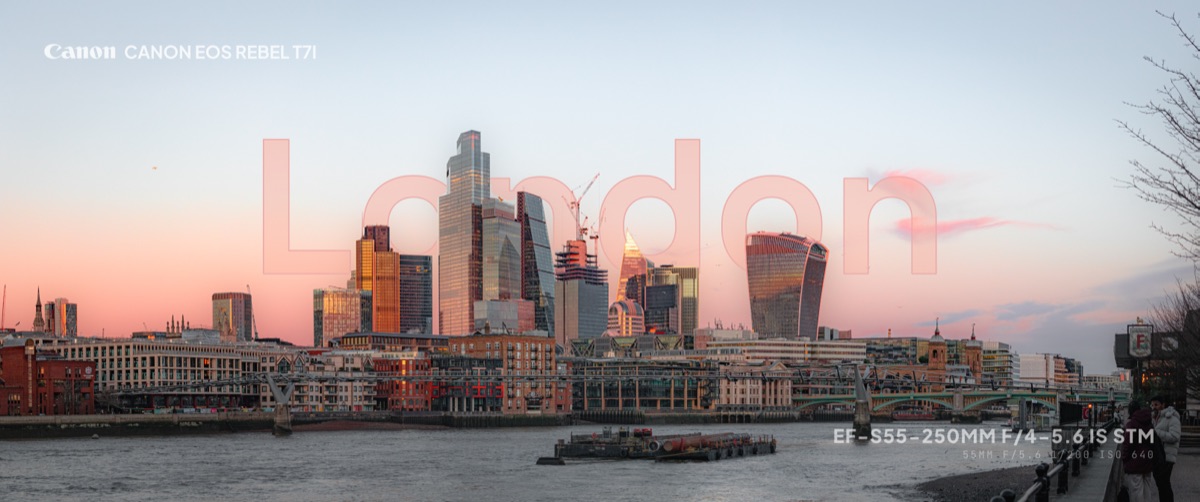
A seamless carousel is one wide image cut into equal slides that line up as you swipe. Several iPhone apps can make one. Some are simple splitters, some are collage and template tools that happen to include a panorama mode. Here is how they compare in 2026.
Full disclosure: we make layrd, the first app on this list. Details for the other apps come from their App Store listings, with rating figures as shown on October 23, 2026. We haven't stress-tested every app, so check the App Store page before you commit.
Quick comparison
| App | Best for | App Store rating |
|---|---|---|
 layrd layrd |
Splitting a photo and finishing it with text, frames and camera details | No ratings yet |
 SwipeMix SwipeMix |
Templates and collages, with a panorama mode | 4.8 (5,976 ratings) |
 PANO PANO |
Panorama templates and video export | 4.6 (1,274 ratings) |
 Griddy Griddy |
Grid and carousel splitting, plus story tools | 4.7 (2,660 ratings) |
 Panorama Scroll Carousel Maker Panorama Scroll Carousel Maker |
Long carousels, up to 20 slides | 4.6 (1,429 ratings) |
 Unsquared Unsquared |
One simple job, splitting a panorama | 4.8 (8,163 ratings) |
1. layrd
Best for: photographers who want the split and the finishing in one app.
layrd has a Spread tool that slices a wide photo into panels and exports them in order. What sets it apart is what you can do before you export: put text behind the subject, add a frame or border, add camera details from your photo's EXIF, and have the design continue across every slide. Detection and splitting run on the phone, so photos aren't uploaded.
Worth knowing: iPhone and iPad only for now (Android is coming). It's free to try, with a few free splits that carry a watermark; layrd Pro removes the watermark and the limits. It isn't a collage or template-pack app.
2. SwipeMix
Best for: people who want ready-made templates and collages.
SwipeMix describes itself as a carousel, panorama and collage maker, with feed and story templates, and a panorama mode where one image flows across several slides. It also lets you start from a blank canvas. It has more than 5,900 ratings and an average of 4.8.
Worth knowing: it does a lot more than splitting, so there's more to learn if all you want is a clean cut.
3. PANO
Best for: panorama layouts built from templates, and animated results.
PANO lists templates for 1:1 and 4:5 feed posts and 9:16 stories, a freeform canvas with up to 10 frames, and the option to save a design as a carousel or as a scrolling panoramic video.
Worth knowing: it's built around composing layouts from several photos and videos, not just cutting one image.
4. Griddy
Best for: grids and splits in many shapes.
Griddy's photo splitter handles preset grids such as 1x3, 2x3, 3x3 and 4x3, and can slice a panorama into a carousel. It also offers custom grid layouts, up to 10 rows, and story tools.
Worth knowing: it's strongest as a grid-feed tool. If you want only a horizontal carousel, you'll be ignoring a lot of it.
5. Panorama Scroll Carousel Maker
Best for: long carousels with templates.
The App Store listing describes seamless carousels of up to 20 slides, more than 1,000 templates, a background remover, drawing tools and export as video.
Worth knowing: it's a feature-rich design app. The listing calls the app Caro, so that name may appear on your home screen.
6. Unsquared
Best for: the simplest possible split.
Unsquared does one job: choose a picture, set the number of pieces, adjust the crop, and the pieces are saved to your photo library. It has more than 8,000 ratings and a 4.8 average.
Worth knowing: the last update on its listing is from November 2022, so don't expect new features. It's fine for a basic split, but it doesn't add text or frames.
How to choose
- Want to split a photo and make it look finished? layrd.
- Prefer starting from templates and collages? SwipeMix, PANO or Panorama Scroll Carousel Maker.
- Need grids as well as carousels? Griddy.
- Just need the cut? Unsquared.
- Prefer a manual method? Our guide to splitting a panorama into an Instagram carousel shows the sizes to use in any editor.
Frequently asked questions
What is the best app to split a panorama for Instagram?
It depends on what you want. For a split plus text and frames, layrd. For templates and collages, SwipeMix. For the simplest split, Unsquared.
Are these apps free?
Each one is free to download. Many have paid upgrades that unlock templates or remove watermarks, so check each App Store listing.
How many slides can an Instagram carousel have?
Up to 20 in the Instagram app. See Instagram carousel and post sizes.
Do I need a panorama photo?
No. Any wide image or crop works, and some apps also split ordinary photos across slides.