The best EXIF frame and shot-on watermark apps for iPhone (2026)
Compare iPhone apps that print camera, lens and exposure details on your photo, from dedicated EXIF frame apps to all-in-one editors. What each does well.
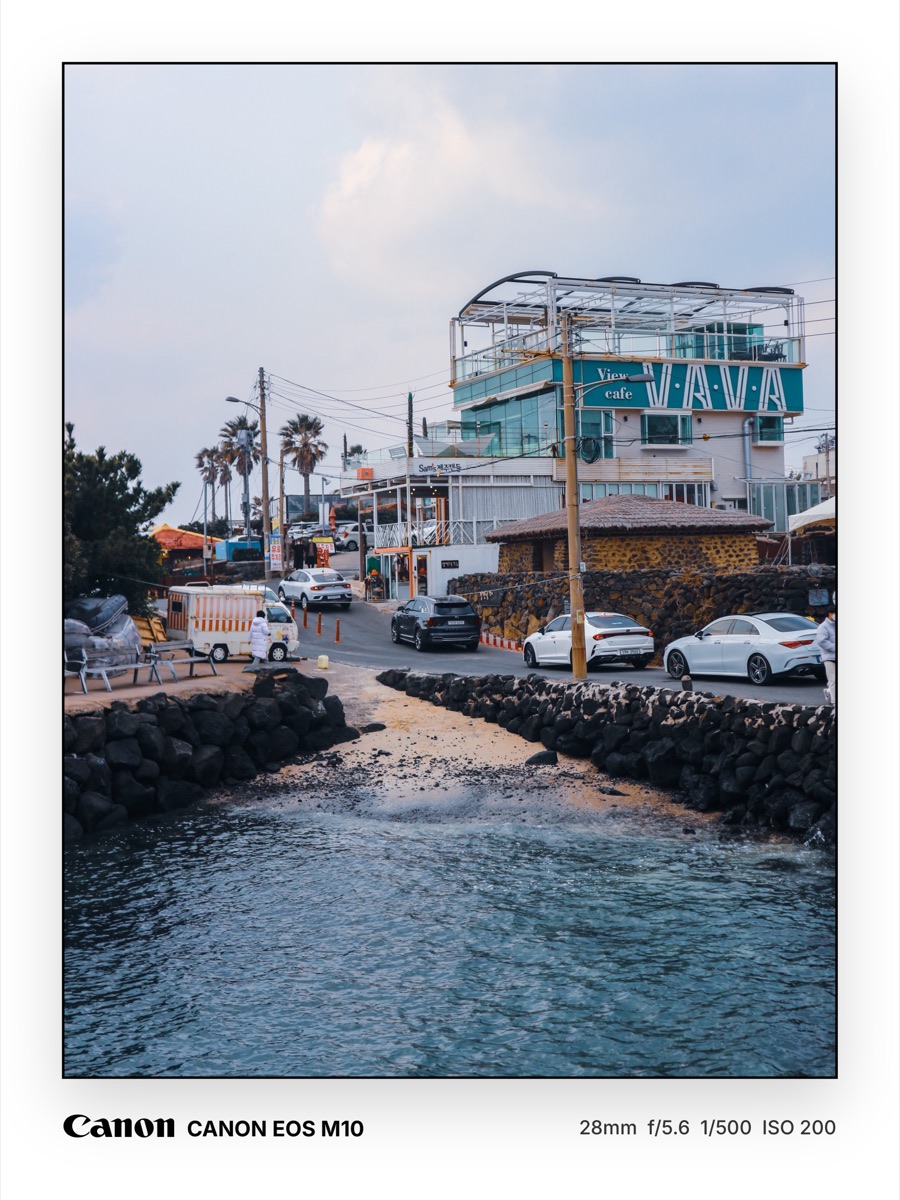
A camera-data frame prints details like the camera, lens, aperture, shutter speed and ISO next to your photo. Photographers use them to show how a shot was made, and they have become a recognisable style on Instagram and Xiaohongshu. Here are the main iPhone apps for it in 2026.
Full disclosure: we make layrd, the first app on this list. Facts about the other apps come from their App Store listings, with ratings as shown on October 23, 2026. Many of these apps have only a few dozen ratings, so treat the scores lightly.
Quick comparison
| App | Best for | App Store rating |
|---|---|---|
 layrd layrd |
A frame plus text behind subject, carousels and animated type | No ratings yet |
 Cameramark Cameramark |
Photographers with real cameras, Fujifilm and batch use | 4.8 (71 ratings) |
 EXIFrame EXIFrame |
Many frame styles, RAW files and film tools | 5.0 (31 ratings) |
 TMPLT TMPLT |
Template-led frames and caption layouts | 4.9 (14 ratings) |
 OneLine OneLine |
One-tap EXIF lines and camera logos | 4.8 (16 ratings) |
 Shot On Watermark Shot On Watermark |
A simple "Shot on" label | 4.5 (894 ratings) |
1. layrd
Best for: people who want the camera line to be one part of a finished post.
layrd reads the camera, lens, focal length, aperture, shutter speed, ISO, date and place from your photo and drops them into templates such as film borders and editorial layouts. You can edit any value, or fill in all of them if the photo has no EXIF. Because it's a full photo layout editor, the same photo can also get text behind the subject, a border, a carousel split or animated type.
Worth knowing: iPhone and iPad only for now (Android is coming). If you shoot lots of RAW files or want batch framing, a dedicated app may suit you better. layrd is free to try, with Pro removing the watermark.
2. Cameramark
Best for: photographers with dedicated cameras.
According to its listing, Cameramark reads EXIF and adds the camera logo, model, lens and settings in a frame around the photo without compressing the resolution. It can enter the info for photos that lack it, save presets that sync through iCloud, read Fujifilm film simulations, turn GPS coordinates into a place name, add a signature and your own logo, and frame several photos at once.
3. EXIFrame
Best for: people who want lots of frame styles and film-photography tools.
EXIFrame lists 24 frame styles, including Classic, Gallery, Polaroid and Film Strip, plus RAW support, batch framing of up to 10 photos and edits that are written back into the exported file's EXIF. It adds extras for film shooters and Fujifilm recipes. It has only about 31 ratings, so the score is early.
Worth knowing: it's packed with tools, so it's more app than you need if you want one simple frame.
4. TMPLT
Best for: template-led layouts.
TMPLT offers designed templates for clean frames, metadata layouts, captions and vintage film looks, with metadata from many camera brands. Some templates and custom aspect ratios are in its Pro upgrade.
5. OneLine
Best for: one-tap EXIF lines.
OneLine focuses on reading the EXIF in one click and printing it with camera logos and personal signatures, using minimalist frames and magazine-style cover templates. It has few ratings so far.
6. Shot On Watermark
Best for: a plain "Shot on" label.
Shot On Watermark stamps a "Shot on" label with a device model, a signature line and a brand logo. It is a simpler tool than the EXIF frame apps above, and its listing was last updated in March 2025.
How to choose
- Want a frame plus the rest of the editing in one app? layrd.
- Shoot with a dedicated camera and want presets, batch and Fujifilm support? Cameramark or EXIFrame.
- Want ready-made layouts to fill in? TMPLT.
- Want the fastest possible one-line stamp? OneLine or Shot On Watermark.
Not sure how to read or fix the data? See how to add camera info to your photos on iPhone.
Frequently asked questions
What is an EXIF frame?
A border around your photo that prints the camera, lens and exposure settings stored in the photo file.
Does Instagram keep EXIF data?
Instagram removes EXIF from images you upload, which is why the details are printed onto the picture itself.
Are these apps free?
All six are free to download. Several have paid upgrades, so check the App Store listing.
Can I edit the details?
Most of these apps let you edit or add the camera, lens and settings, which is useful for film scans and edited photos.